Cadet Tech : Adobe Voice
Showing posts with label Adobe Voice. Show all posts

Tuesday, January 24, 2017

Non Fiction Writing with Adobe Spark

12:57 PM 0
Non Fiction Writing with Adobe Spark
We are doing some really cool things with Adobe Spark and Non Fiction Writing!

Whether you have a small set of iPads or computer lab time, this tech tool is easy to use and user friendly. We have students as small as kindergarten and as old as seniors using this powerful tool that gives the writer voice!


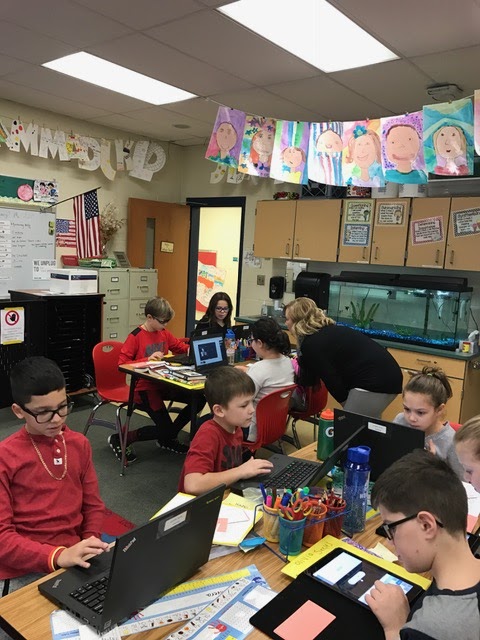
Mrs. Farrell's 2nd Graders are working on non fiction writing and everything they know about something. Students then took their writing and transformed it into an informational video adding their own unique voice to create something amazing!

Check out some of these awesome examples!


In Fourth Grade we are using Adobe Spark for our Expository Text as well as our Informational Text. Check out some of these amazing How To's


Thursday, May 19, 2016

Spark It Up!

11:51 AM 0
Spark It Up!
Not 1:1? No Problem! Former iOS apps Adobe Voice and Adobe Slate have become part of of the Spark family. The new Adobe Spark suite includes Spark Video (formerly Voice), Spark Page (formerly Slate), and Spark Post (which was just Post before). With the creation of the new Spark Suite, these amazing creation tools are now web friendly! Get started at https://spark.adobe.com/

The new streamlined Spark interface allows to seamlessly create a Post, Page, or Video from one location.


Click the "+" to start creating


Better yet, your Spark project library houses all of your Posts, Pages and Videos in one place!


Wednesday, February 10, 2016

MW French Cuisine and Comics on Circulation

2:39 PM 0
MW French Cuisine and Comics on Circulation
Exciting student projects in production at Merton Williams!

French Cuisine!
First, Mrs. Herbert's French class piloted using Adobe Voice on their iPads to share French cuisine. The students viewed a sample from Northwood's Toy Project and also Mrs. Herbert's model video. They gathered images and made them professional looking using the Canva app. They worked in collaborative groups to create the video and included the recipe, the region it came from with interesting facts, the ingredients and basic cooking directions. Since these are early French speakers, some of the speaking is in  French (especially the food vocabulary) and some was in English. They did a great job of ensuring all students found images and participated in the recordings. Below is one sample from Zack, Aaron and Lucas.


Pathway of Blood Comic Book
Cheryl Sugrue and Angela Boccuzzi-Reichert teamed up to try a new way to demonstrate student learning. In the past students created booklets showing the path that blood takes as it travels through the heart and lungs before traveling through the body and back to repeat the cycle. Students had a variety of tools to create their drawings including pencils and paper, Notability, and other drawing apps. They used Comic Maker App to host their comics then shared them to Google Classroom as Google Slides. Note: Cheryl and Angela recommend using a different comic creation app or website since the free version of Comic Maker doesn't allow easy sharing of student work. Jacquie and several teachers have found Powtoons to be very useful for a project like this. 

See Kyle's Comic and Bryce's Comic (in PDF).


Here are some handouts Cheryl Sugrue shared via Google Classroom


Tuesday, January 5, 2016

Sixth Grade Toy Project Wraps Up With A Bang!

3:01 PM 0
Sixth Grade Toy Project Wraps Up With A Bang!

Students at Northwood geared up all December to pitch their toy to be inducted into the Strong Museum National Toy Hall of Fame. Each group presented on why their toy meets all the criteria to be the 60th toy inducted.

This year, in addition to a toy display board and presentation, students used the apps Adobe Voice and Adobe Slate to support their claim for their toy. The presentations were superb! Here are just a few of the presentations that really display the creativity and ingenuity behind the project. Think about all the ways you could use these awesome tools!


Paper


Clue


Scooter


Chalk


Check out Chalk's Adobe Slate: Chalk Adobe Slate


Nerf


Check out Nerf's Adobe Slate:Nerf Adobe Slate

Jenga


Check out Jenga's Adobe Slate:Jenga Adobe Slate


Operation


Check out Operation's Adobe Slate:Operation Adobe Slate